
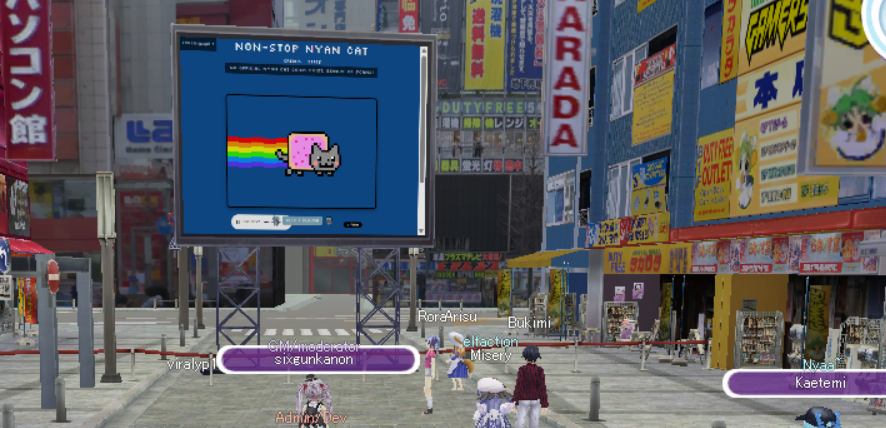
Twitch, Youtube and NND have come to aisp-emu!
How to Use IDs
Currently, TVs support a few different inputs:
- Twitch: Use
tw:TWITCHUSERNAME. You can get the username from the URL of the stream. - YouTube: Use
yt:VIDEOID. You can get the video ID from the URL of the video. - Nico Live: Use
lv#####. You can get the ID from the URL of the Nico Live stream.
Any of the TVs from the furniture shop can be placed in your Room and used to watch streams or videos!
Playback is synced between players, so everyone will be watching from around the same point. Even if someone leaves the Room and comes back later, playback will resume from roughly where everyone else is watching.
FAQ
TVs are showing an IE error page?
You need to run the latest version of the Launcher. It replaces the old built-in browser with Electron so that we can support these platforms.
I'm using the latest Launcher, but the screens are black?
Delete launcher.settings.json from the game directory and try again.
If it's still not working, open a tech-support-feedback ticket in the Anime Toshokan Discord.
Who controls the public screens? It's stuck on XYZ video.
Only Moderators and Admins can change the videos playing on public screens.
Screens placed in Rooms are controlled by the Room's owner.